
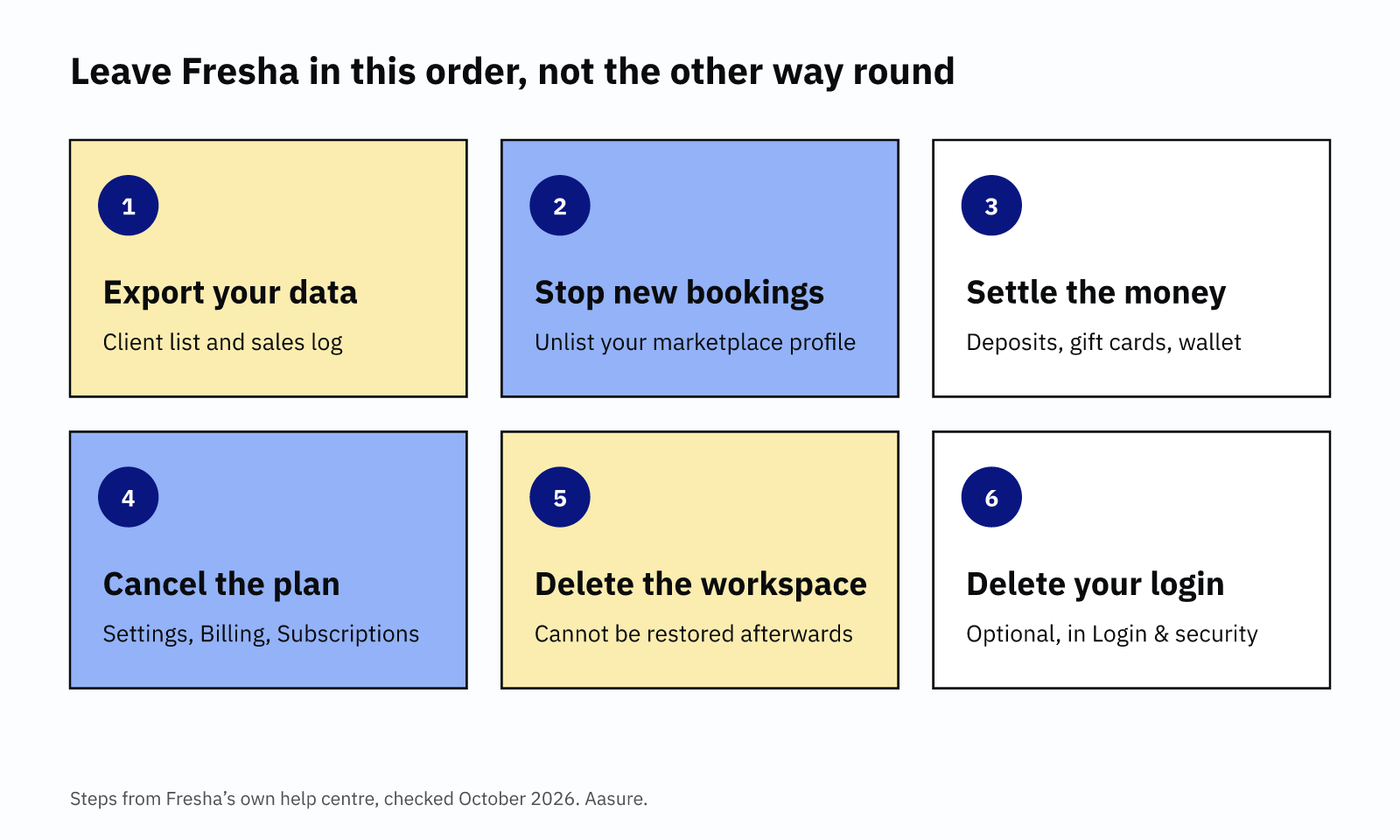
To delete Fresha account data safely, work in six steps. First, export your client list and sales log. Next, unlist your marketplace profile and clear upcoming appointments. Then settle deposits, gift cards and your wallet. Cancel your plan, and only then delete the workspace. Fresha says a deleted business account "cannot be restored", so the order matters.
Every step below comes from Fresha's guide to deleting an account and its linked help pages. We checked them on 24 October 2026. Menu names change, so compare them with your own screen.
Step 1: Before you delete your Fresha account, export everything
Start with the export, because nothing comes back after deletion. Fresha's export guide gives the steps. Go to Clients, then Clients list, then Options. Then choose Excel or CSV.
Fresha's deletion checklist also asks you to export your sales log report. Keep both files safe. GOV.UK says sole traders must keep business records for at least five years after the 31 January deadline.
One thing will not come with you. Fresha says client card details "cannot be exported or transferred". So warn regular clients that they may need to add a card again elsewhere.
If you are moving to Aasure, we import your client list for you, free. The switching section on our Fresha alternative page explains how.
Step 2: Stop new bookings and clear the diary
Next, stop clients booking you on Fresha. Fresha's marketplace profile guide shows how to unlist. Go to Online booking, then Marketplace profile. Open Actions and choose Unlist profile.
Unlisting has knock-on effects, though. Clients can no longer find you on the marketplace. Your existing Book Now buttons and booking links also stop working. So put your new booking link on Instagram and Google before you unlist. Fresha adds that your reviews stay saved and reappear if you publish the profile again.
After that, deal with appointments still in the diary. Fresha asks owners to cancel all upcoming appointments before deleting a workspace. In practice, most owners honour the last few bookings first. Our guide to switching booking software shows how to run both systems for a short overlap.
Step 3: Settle deposits, gift cards and your wallet
Fresha asks you to settle what clients are owed before you delete a workspace. Its checklist names four jobs:
- Refund deposits taken for future appointments.
- Refund active gift cards.
- Refund active memberships.
- Settle any negative balance in your business wallet.
If you have staff, Fresha's guide also expects the owner to pay any payouts still owed to them. Also, if you use a Fresha card terminal, check your contract. Fresha's partner terms ask you to return a terminal within five business days once you stop using it.
Step 4: Cancel Fresha before you delete the account
Cancelling your plan is a separate step from deleting the workspace. Fresha's guide to managing your plan sets out the route. Go to Settings, then Billing, then Subscriptions. Open the plan's Actions menu and choose Cancel plan. Then confirm.
According to that guide, the plan then stops renewing at the next billing cycle. However, read the partner terms as well. They say you must give Fresha at least 30 days' written notice to cancel a service. You also stay liable for fees during that notice period. To be fair, Fresha's pricing page says there is "no minimum commitment or long-term contract". Still, check your dates before your next renewal.
Step 5: Delete the Fresha account for good
Once the checklist is clear, you can take the step most people mean by delete Fresha account: removing the workspace. Fresha's steps run as follows:
- Open Personal settings from the profile icon.
- Go to Workspaces and choose Manage.
- Select Delete workspace and pick a reason.
- Tick each confirmation box.
- Enter the four-digit code Fresha texts you, then confirm.
Remember, Fresha cannot restore a deleted workspace. Therefore, open your exports once more before you press the final button.
Step 6: Delete your personal login as well
Deleting the workspace does not delete your login. To remove that too, open Personal settings, then Login and security. Choose Delete account, pick a reason and enter the texted code. Fresha says it usually emails a confirmation the same day.
Note that these steps to delete Fresha account data are for business owners and team members. Fresha's guide does not cover clients who only book appointments.
What to check after you leave Fresha
Finally, check the places clients still look. Update your Google Business Profile booking link, your Instagram button and your website. Then send regulars one short message with your new link.
If you have not chosen a replacement yet, our Fresha alternatives guide compares 14 platforms on real costs. Our round-up of Fresha reviews from owners shows what pushes people to leave. And our pricing page lists Aasure's three plans.
Your own booking page, no commission.
Aasure costs £29, £59 or £89 a month including VAT, for 2, 7 or 20 seats. Every plan includes every feature, with no commission on any booking.
See how switching works