
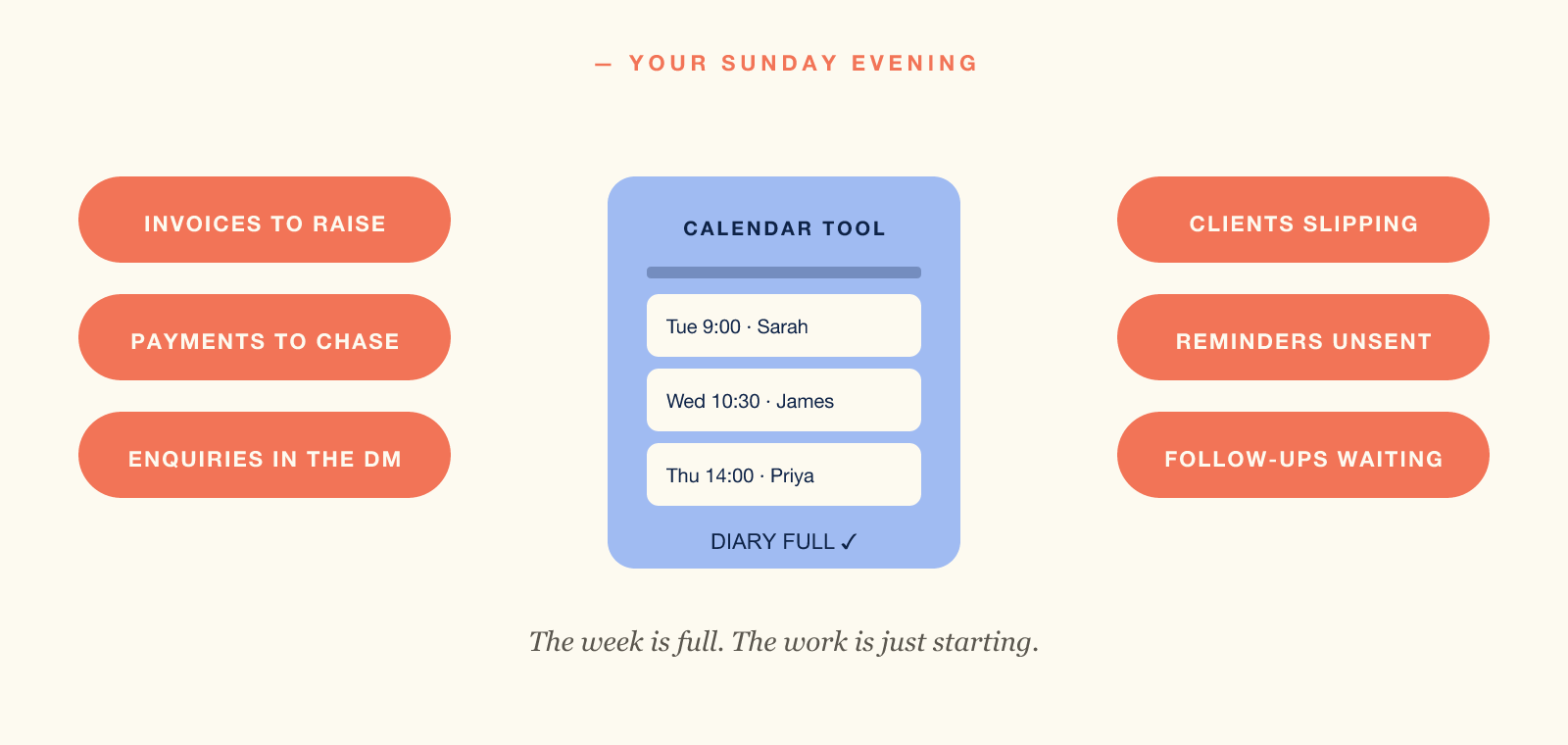
It is Sunday night, so you open your calendar tool. The week ahead looks full. Twenty appointments lined up, confirmed and synced.
So why spend the next three hours on invoices? Then four Instagram enquiries, two late payers, and the client you have not seen since February.
Because the calendar tool that filled your week never set out to run your business.
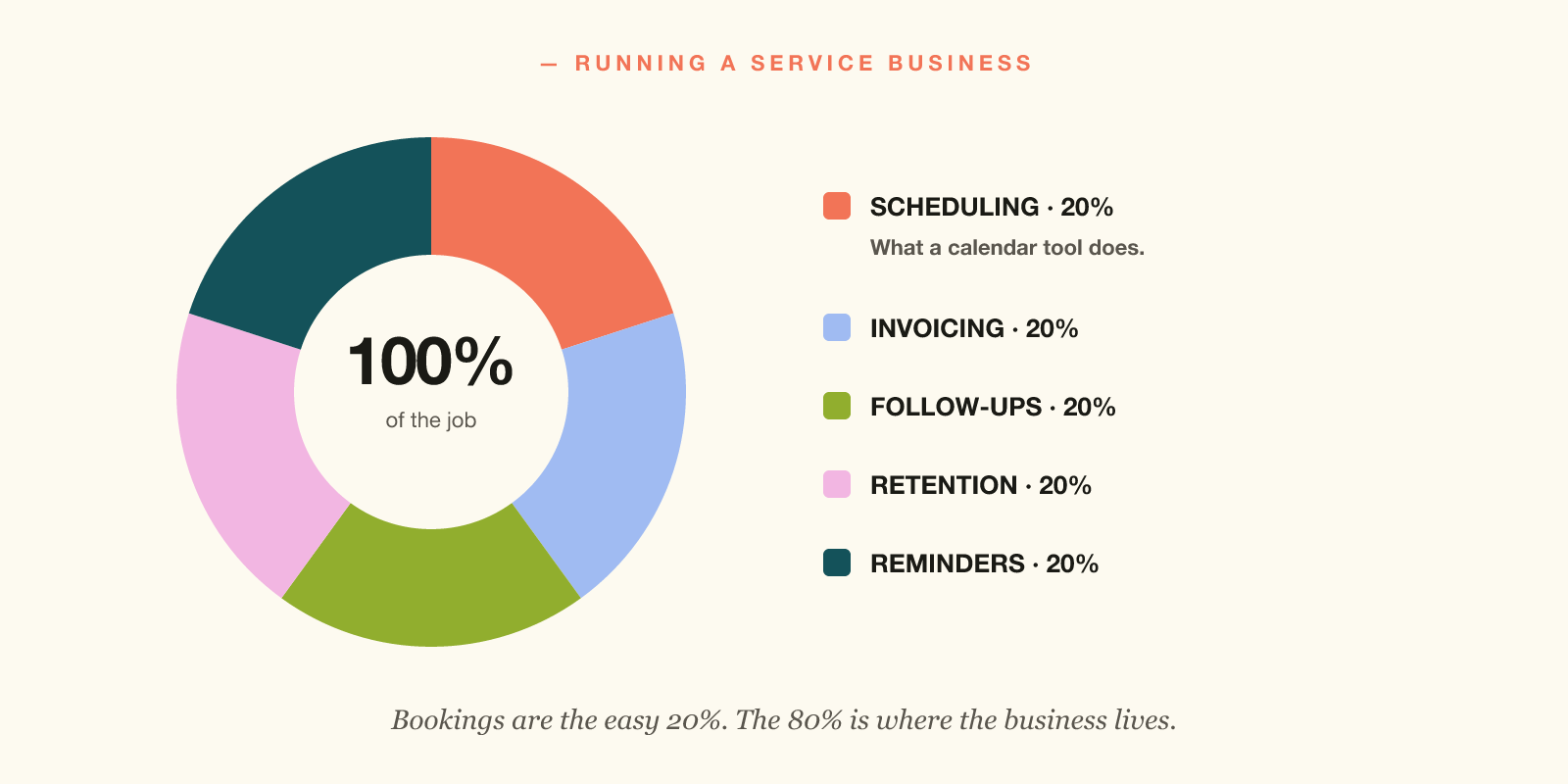
Scheduling-only tools — Calendly, Cal.com, Acuity, Setmore — all do the booking part well. The other 80% of running a service business doesn't live there.
A calendar tool covers 20% of the job
A calendar tool excels at one thing. It moves an appointment from your client's diary into yours. So it sends a confirmation, syncs to Google Calendar, then hands you a link for Instagram.
That's it. That's the job.
The job of running a service business is much bigger:
- Raising the invoice when the session ends.
- Chasing the invoice if it goes unpaid.
- Tracking which clients haven't been back in 60 days.
- Knowing your most profitable service so you can sell more of it.
- Following up on enquiries that have gone quiet.
- Sending the reminders that stop no-shows.
- Drafting messages to lapsed clients before they forget about you.
- Holding everything you know about a client in one place.
None of that lives in a calendar tool. None of it.
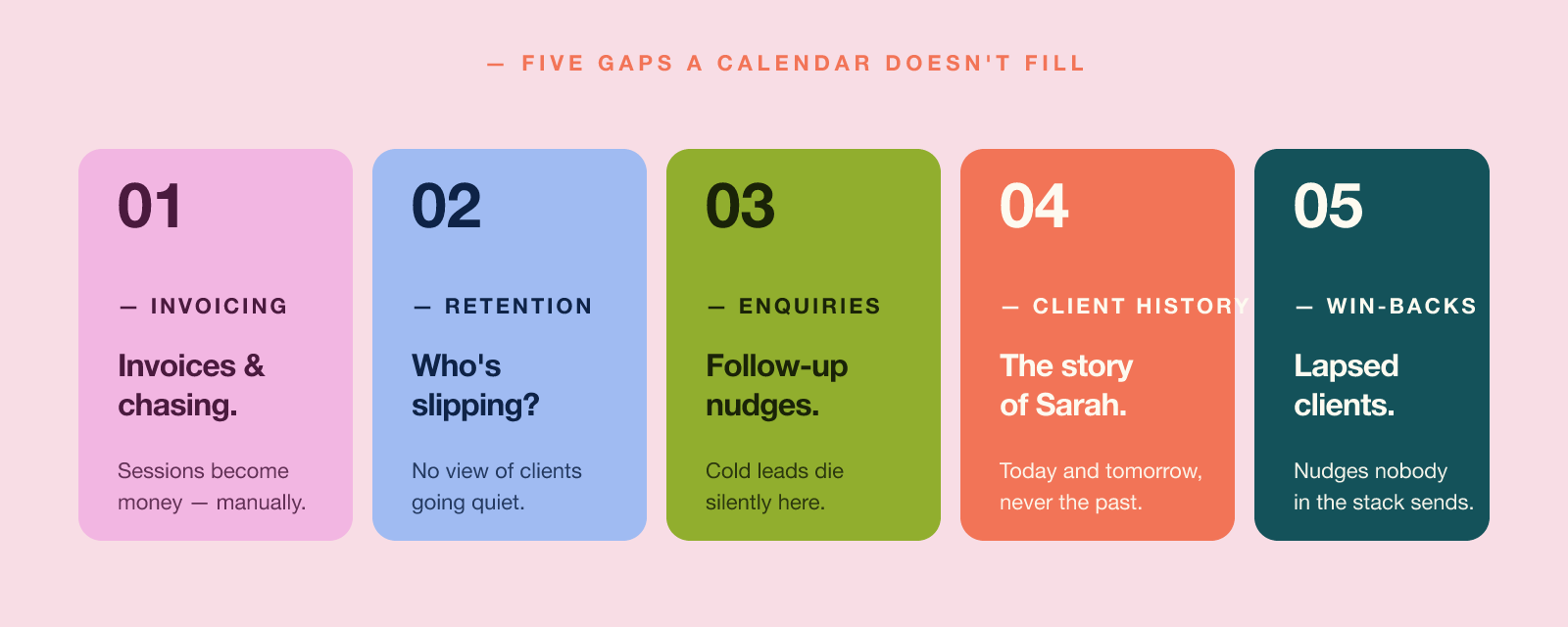
The five things a calendar tool doesn't do
Here's what falls through the gap.
1. Invoicing and chasing payments
Your calendar tool records that a session happened. It never raises the invoice. Nor does it send the polite overdue reminder. So you do, every Sunday, by hand. Since April 2026, HMRC's Making Tax Digital has required digital records above £50,000.
2. Retention reporting
The most valuable question is simple. Which of my clients are about to leave? A calendar tool cannot answer it, because it never tracks patterns over time. It only knows what is coming up.
3. Enquiry follow-up
Most enquiries go cold because nobody nudged on day three. Meanwhile your calendar tool never knows the enquiry exists. It sees confirmed bookings only. So it helps to set up a simple enquiry management process alongside it.
4. Client history
How many times has Sarah been? What did she book last time? Does she prefer mornings? Your calendar tool shows yesterday and tomorrow. Meanwhile the story before that sits elsewhere. Those records are personal data, so the ICO expects you to hold them properly.
5. Win-backs
The friendly "haven't seen you in a while" message never goes out. Nobody in your stack knows who lapsed. So the easiest win in the business quietly never happens.
The cost of stitching tools together
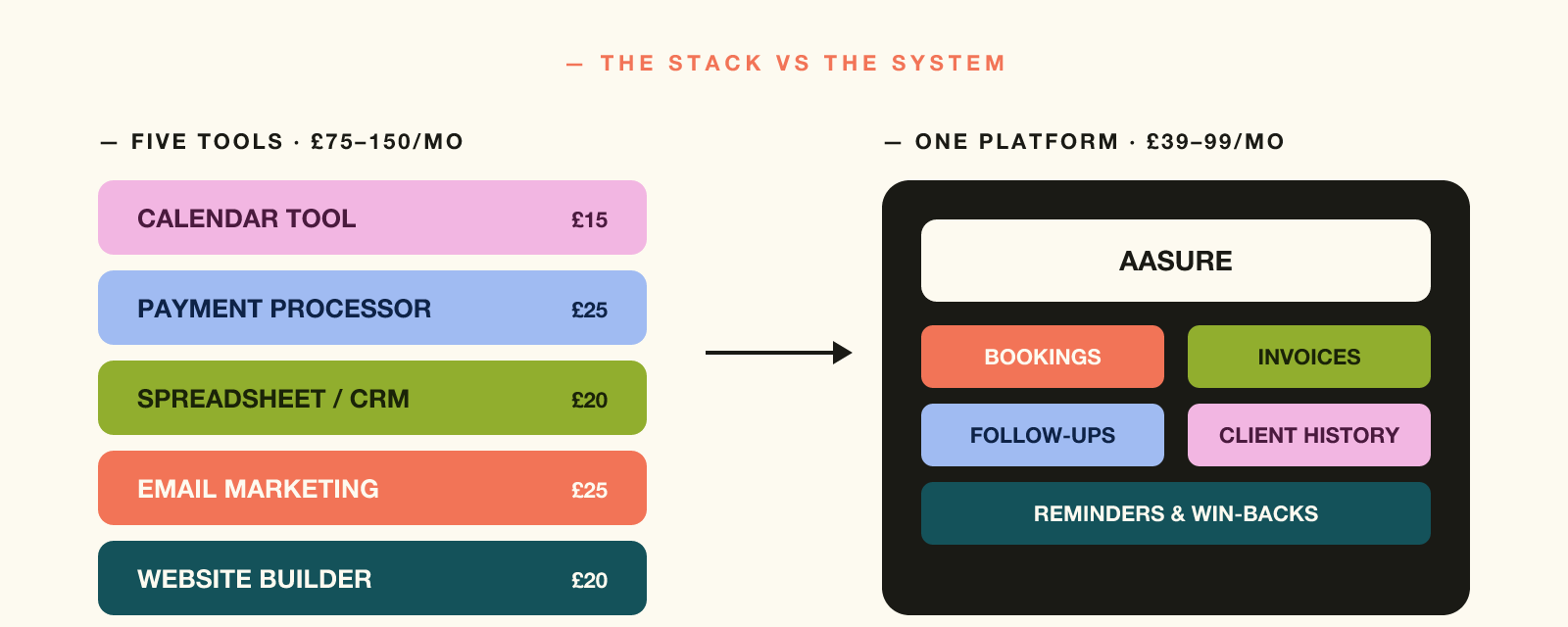
Most owners plug the gap with a stack. A calendar tool, a payment processor, a spreadsheet, WhatsApp, email and a website builder. So that is five subscriptions, five logins and five places holding data.
That stack costs more than people realise. At least the subscriptions count as allowable expenses.
- £75–£150 a month in subscription fees, conservatively.
- Two evenings a week stitching pieces together. Copying invoice details, exporting lists, updating the spreadsheet.
- Five privacy policies to write and maintain, since each tool holds client data. Most practices must also pay the ICO data protection fee.
- One disjointed client experience. A confirmation from one app, an invoice from another, a reminder from a third.
None of this appears on a pricing page. Yet all of it appears in your week.
What "running the business" looks like in one tool
The alternative is one platform. There the booking, reminder, follow-up and client history share a database.
What that looks like in practice:
- A client books on Tuesday, then the session happens. The visit lands in their record the moment it ends.
- You record the payment, so their history updates. The record then shows 12 sessions over 9 months, average gap 18 days.
- Another client has not booked in 70 days. So a rebooking email you switched on invites her back with a link.
None of that is harder than what you already do. It simply stops asking you to remember. So the mental load moves out of your head. Who is due a reminder, who is due back, who has paid.
"You don't need a faster calendar. You need a system that does the rest."
When you have outgrown your calendar tool
- First, you spend more than two hours a week invoicing and chasing.
- You can't tell who hasn't been back in 60 days without scrolling.
- You've lost an enquiry recently because you forgot to follow up.
- Your client list lives in a spreadsheet, WhatsApp and a calendar tool at once.
- You have at least three subscriptions doing partial jobs.
- Your Sunday is admin, not rest.
If two are true, your tools slow you down. Fortunately the fix is not more apps. It is fewer.
You got into your craft because you are brilliant at it. So the tooling should not become a second job. For the record, you will still register with HMRC, file Self Assessment, and watch the £90,000 VAT threshold. The FSB publishes guidance for businesses this size.
Common questions
Is Aasure an alternative to Calendly?
For service businesses, yes. Aasure covers what Calendly does: bookings, availability and reminders. Then it adds what the business actually runs on. Client records, follow-ups and win-back emails. If you only need a meeting-booking link and nothing else, Calendly is fine. If you run a practice, Aasure is the broader fit.
What does Aasure do that a scheduling tool doesn't?
Scheduling tools end at the booking. Aasure carries the appointment forward. Into a client record and a follow-up. That work already happens around every appointment. This simply puts it in one place rather than five tabs.
Can I start with just bookings and add more later?
Yes. Most owners turn on bookings and reminders first. Then they layer in follow-ups, email campaigns and client records as needed. You don't have to switch everything on day one.
How many hours are you actually losing?
Use the free Admin Hours Calculator to see what your stack costs each week. Then see what one platform gives back.
Open the calculator Or read: What Is Your Real Hourly Rate? →